

On a day when Google announced AI feature after AI feature at its annual I/O developer conference, a different kind of announcement emerged from Mozilla. The nonprofit organization behind the Firefox browser released version 151, bringing AI guardrails to both iOS and Android platforms. While many tech companies are racing to embed generative AI into every corner of their products, Mozilla has taken a more measured approach: giving users the power to turn off these features entirely.
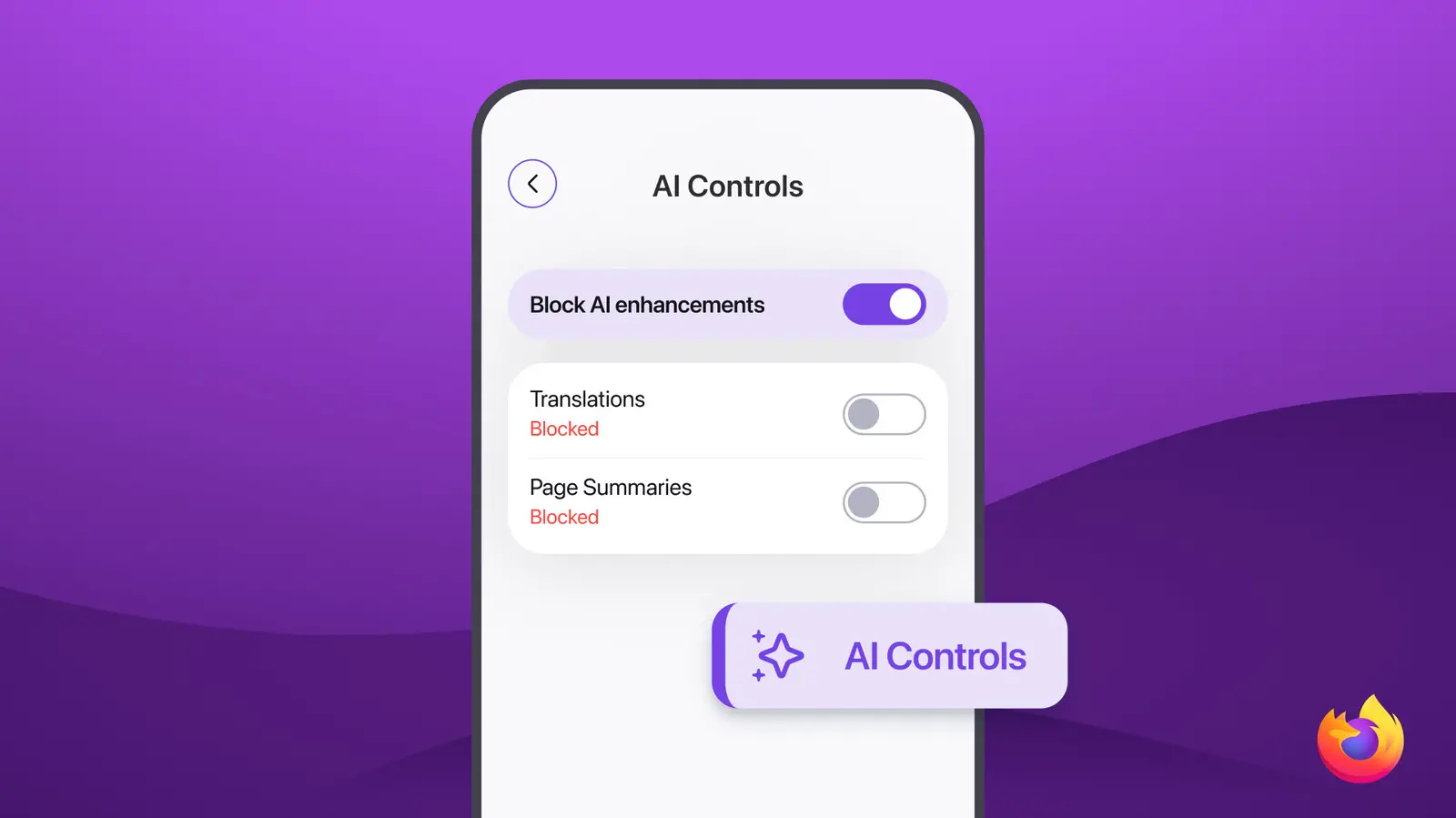
Firefox 151 introduces a binary toggle that allows users to disable all generative AI features with a single switch. This blanket setting is complemented by granular controls that let individuals choose which specific AI capabilities remain active. The options include features like in-browser translations, voice search, and other AI-assisted tools that Mozilla has integrated over the past several releases. The ability to opt out completely is rare among major technology companies, which often make AI features mandatory or hide privacy controls in complex menus. Google, for instance, has been criticized for automatically enabling AI features in its products and requiring users to navigate through multiple settings to disable them.
The mobile update follows a similar rollout for desktop users in February 2026, when Firefox 149 first introduced AI guardrails on Windows, macOS, and Linux. That initial release received positive feedback from privacy advocates and power users who wanted more control over the data their browser shared with AI models. The mobile extension ensures that Firefox users on smartphones and tablets enjoy the same level of autonomy. Given that mobile browsing now accounts for over 60% of all web traffic according to recent StatCounter data, the move to bring these controls to iOS and Android is significant.
Mozilla's History with Privacy and AI
Mozilla has long positioned itself as a champion of user privacy and openness on the web. Founded in 1998 from the ashes of Netscape, the organization’s flagship product, Firefox, has consistently emphasized transparency and user control. From introducing Do Not Track headers in 2011 to launching the Enhanced Tracking Protection feature in 2018, Mozilla has often been ahead of the curve in privacy technology. The company’s stance on AI is a natural extension of this philosophy.
In 2024, Mozilla published a set of principles for responsible AI, which include transparency, accountability, and human control. These principles guide the development of AI features in Firefox. The company has also invested in privacy-preserving machine learning techniques, such as on-device processing, to reduce the amount of data sent to cloud servers. The AI guardrails are a practical implementation of these ideals, giving users a straightforward way to opt out of generative AI features without sacrificing the core browsing experience.
Mozilla’s approach contrasts sharply with that of Google, which used its 2026 I/O conference to announce dozens of new AI integrations across its ecosystem, including Search, Chrome, Android, and Workspace. Many of Google’s AI features are enabled by default and require users to actively disable them if desired. Critics argue that this “opt-out” model violates the principle of informed consent and can lead to unintended data sharing. Mozilla’s opt-in approach, by contrast, ensures that AI features are only active when the user explicitly chooses to enable them.
Technical Details of Firefox 151
Firefox 151 is available now for both iOS and Android via the respective app stores. The update includes the AI controls as well as other performance improvements and security fixes. On iOS, the new settings can be found under the menu button (three horizontal lines) then Settings > AI Features. On Android, the path is similar: Menu > Settings > AI features. Users will see a toggle for “Enable generative AI features” along with individual toggles for each AI-powered tool.
The specific AI features covered by these controls include:
- Firefox Translations: On-device translation of web pages without sending data to external servers.
- Voice Search: Allows users to dictate search queries using speech recognition.
- Smart Suggestions: AI-powered autocomplete for search and URL bars.
- Content Summarization: Provides brief summaries of long articles or pages.
- Image Description: Generates alt text for images to aid accessibility.
All of these features can be individually enabled or disabled, offering fine-grained control. Mozilla has emphasized that the data used by these features is processed locally on the device whenever possible, minimizing exposure to external AI models. For features that rely on cloud processing, Mozilla has implemented strict data handling policies and anonymization techniques.
Project Glasswing and Cybersecurity Insights
Mozilla has also been involved in broader AI discussions through its participation in Anthropic’s Project Glasswing. This collaborative initiative brings together researchers, nonprofits, and industry experts to study AI’s role in cybersecurity. Mozilla contributed insights from its own security team, focusing on how AI can both create and mitigate threats. In a recent report stemming from Project Glasswing, Mozilla highlighted that while AI can automate vulnerability detection and incident response, it also enables more sophisticated phishing attacks, deepfakes, and malware that adapts to defenses.
The report emphasized the importance of “defensible AI” – systems designed with security in mind from the outset. Mozilla’s AI guardrails are a practical example of this philosophy. By allowing users to disable AI features, Mozilla reduces the attack surface for potential exploits targeting these models. For instance, a malicious actor could attempt to manipulate a voice search system or poison a translation model. Turning off unused AI features reduces risk.
Mozilla’s cybersecurity team also noted that the same techniques used to protect browsing data – such as sandboxing and process isolation – are being adapted for AI workloads. In Firefox, AI models are run in isolated processes with limited permissions, preventing them from accessing sensitive user data without explicit consent. This architecture is part of what makes the AI guardrails effective: even if a feature is enabled, its impact on privacy and security is constrained.
Industry Reactions and Implications
The announcement of Firefox 151’s AI guardrails has been welcomed by digital rights groups such as the Electronic Frontier Foundation (EFF) and by privacy-focused tech reviewers. Many see it as a model for how other browsers and apps should handle generative AI features. The move also puts pressure on competitors like Google Chrome, Microsoft Edge, and Apple Safari, which have been slower to offer comprehensive AI controls. Chrome, for example, remains tightly integrated with Google’s AI services and lacks a simple global off switch.
Some industry analysts argue that Mozilla’s approach could become a competitive advantage. As public awareness of AI risks grows – from job displacement to misinformation – users may seek out browsers that respect their autonomy. Firefox has seen a modest resurgence in market share over the past year, partly attributed to its privacy stance. The addition of AI guardrails could accelerate this trend, particularly among enterprise and security-conscious users.
However, Mozilla faces an uphill battle. Chrome still dominates with over 65% of the browser market worldwide, and Google can leverage its massive resources to integrate AI deeply into browsing. Mozilla’s nonprofit status means it must prioritize user needs over profit, but it also limits its ability to compete on features that require large-scale AI infrastructure. The AI guardrails thus serve a dual purpose: they protect users and also differentiate Firefox in an increasingly crowded market.
Looking Ahead: The Future of AI in Browsers
The release of Firefox 151 is not the end of Mozilla’s evolution on AI. The organization has hinted at plans to introduce AI features that are transparent by design, such as user-facing logs of when and why an AI model was invoked. There is also ongoing work on de-centralized AI models that could run entirely on local devices, reducing reliance on cloud services. These developments align with Mozilla’s broader mission to ensure the internet remains healthy and open.
In the meantime, users who want to try Firefox’s AI capabilities can do so with confidence that they are in control. The AI guardrails represent a rare commodity in the technology industry: trust. By respecting user choice, Mozilla is reinforcing the idea that technology should serve people, not the other way around. As AI continues to permeate everyday software, the battle between default-opt-in and user-controlled settings will only intensify. Firefox’s latest update offers a clear, principled stance on which side it stands.
Source: Engadget News