

We find the most joy using our smartphones as social media machines, but our phones also handle mundane activities like communication and navigation. If you're on Android, you most likely default to Google Maps to plan your commutes and explore new places. While Apple Maps' many useful features make it a compelling alternative, Google Maps enjoys a huge user base, likely because it has had a head start of more than a decade in mapping out even the most rural corners of the world.
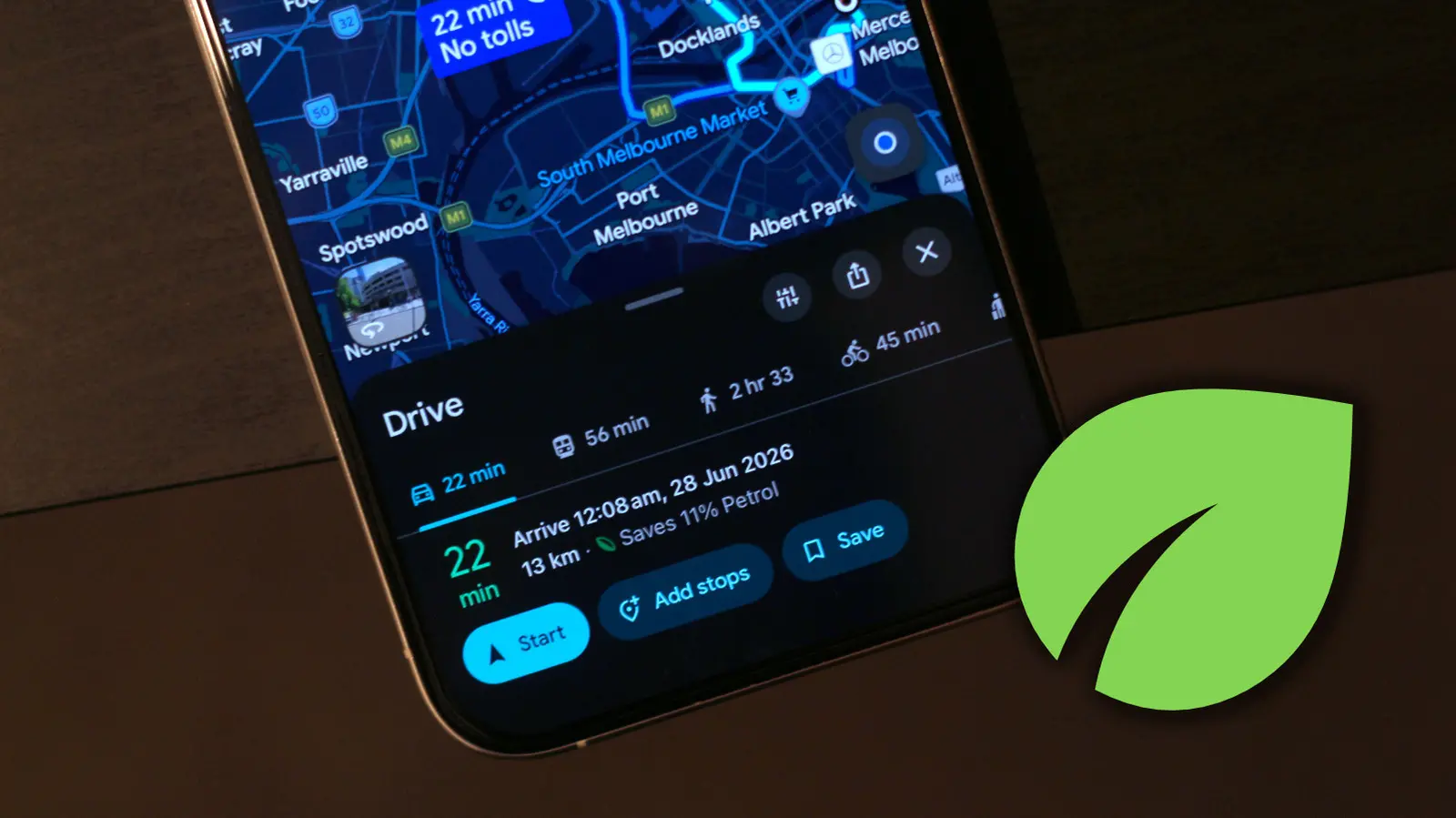
For those of us who aren't passionate navigators, Google Maps offers a clean user interface with easy-to-understand controls. That said, there are several quality-of-life Google Maps features that are easy to miss. These are often hidden within menus or denoted by icons you might not have given much thought about. The green leaf symbol is one such example that shows up when you start picking a route to a destination. It essentially indicates that the route is the most eco-friendly option.
You can view more info about the eco-friendly route if you expand the navigation details from below. Google Maps will display how much gas you'll be saving by picking this route and, if applicable, how much longer your trip will take compared to the fastest route. Google claims it determines which route is the most eco-friendly by taking into consideration factors such as real-time traffic and road conditions.
Customizing Google Maps just for you
Relying on eco-friendly routes is an effective way to save fuel in your car. You can customize your Google Maps experience to let it automatically select eco-friendly routes whenever available. To do this, open Google Maps, tap on your profile picture, head to Settings > Navigation, and turn the "Prefer fuel-efficient routes" toggle on. From now on, assuming your destination has more than one route, Google Maps will automatically put you on the one that saves the most gas.
Now is also a good time to enter more details about the vehicle you're driving, since, by default, Google Maps calculates routes assuming you have a gas or petrol-powered car. Navigate to Settings > Your Vehicles and select an engine type. Options include petrol, diesel, hybrid, and electric. This is important because Google Maps estimates eco-friendly routes based on your vehicle's engine type. You can also select a different avatar for your car and motorcycle. This replaces the default blue navigation arrow that shows where you are on the map.
How Google Maps calculates eco-friendly routes
The eco-friendly routing feature, introduced in 2021, uses data from the U.S. Department of Energy's National Renewable Energy Laboratory and other environmental agencies. Google Maps analyzes factors such as road incline, traffic congestion, and speed limits to estimate fuel consumption. Routes with fewer hills, less stop-and-go traffic, and lower speed limits are often more fuel-efficient. The algorithm also considers real-time data, so routes can change based on current conditions.
For electric vehicles, the eco-friendly route may also factor in charging station availability and battery consumption. Google Maps can suggest routes that minimize energy usage, which is critical for EV drivers concerned about range. The feature is available in many countries, including the United States, Canada, and parts of Europe and Asia.
Environmental impact of eco-routing
By choosing eco-friendly routes, drivers can reduce their carbon footprint. According to Google, the feature has the potential to save up to 10 million metric tons of CO2 emissions annually if widely adopted. This is equivalent to taking 2 million cars off the road for a year. The savings come from reduced fuel consumption and lower idling time. Even small daily savings add up over time.
Governments and environmental groups have praised Google for integrating sustainability into navigation. However, some critics argue that the feature is only as good as the data it uses. In areas with poor traffic data or unusual road conditions, the eco-friendly route may not be optimal. Google continues to improve the algorithm with machine learning.
Comparison with other navigation apps
Apple Maps also offers eco-friendly routing, but it uses a different algorithm based on speed limits and road types. Waze, owned by Google, has a similar feature called "Gas Saver" that finds the cheapest gas along your route. Google Maps provides more granular control, such as engine type selection, making it more versatile for different vehicles.
Other navigation apps like MapQuest and HERE WeGo lack dedicated eco-routing, making Google Maps a leader in this area. The feature is particularly useful for delivery drivers and businesses that want to reduce operational costs and environmental impact.
Tips for maximizing fuel efficiency
Besides using eco-friendly routes, drivers can improve fuel economy by maintaining proper tire pressure, avoiding excessive idling, and driving at moderate speeds. Google Maps can help by providing real-time traffic alerts to avoid jams. Combining the eco-route with smooth driving habits can yield even greater savings.
For fleet managers, Google Maps offers a API to integrate eco-routing into logistics software. This allows companies to optimize delivery routes and track fuel consumption. The eco-route feature is just one part of Google's broader commitment to sustainability, which includes carbon-neutral data centers and renewable energy investments.
As electric vehicles become more popular, Google Maps will likely update its eco-routing to include more EV-specific data, such as battery temperature and regenerative braking efficiency. The leaf symbol is a small but important reminder that technology can help us make greener choices every day.
Source: SlashGear News