

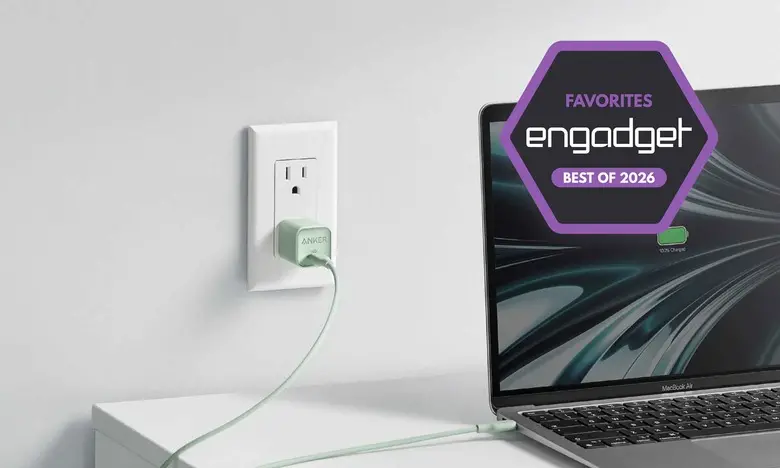
The best fast chargers for 2026 are much more than simple wall plugs with high wattage labels. They are built around smarter power delivery, improved thermal management, and the need to charge multiple devices at once. As phones, tablets, laptops, wireless earbuds, and smartwatches continue to rely on rechargeable batteries, the charger you keep in your bag or on your desk can determine how convenient your daily routine feels. In many cases, new devices no longer ship with a power adapter at all, making the selection of a charger an unavoidable part of any tech purchase.
This guide covers the key facts you need to choose a fast charger that matches your devices and lifestyle. From wattage and port count to USB Power Delivery, gallium nitride technology, and battery health, the right decision depends on more than just the highest number printed on the box.
Key facts at a glance
- Fast charging generally refers to any output above 15 to 18 watts, though many modern phones accept 30W, 45W, 65W, or even 100W or more.
- Gallium nitride, or GaN, is a semiconductor material that lets chargers deliver higher power in a smaller size and with less heat than older silicon-based adapters.
- USB Power Delivery, usually called USB PD, is the most widely supported universal fast-charging standard for phones, tablets, and laptops.
- Some device makers use proprietary fast-charging protocols, which means maximum speed may only be available when you use the included charger or a compatible replacement.
- Multi-port chargers share their total wattage between the connected devices, so a high total output is important if you plan to charge more than one product at a time.
- Cables matter just as much as chargers. A 100W charger connected to a cable rated for 60W will only deliver up to 60W safely.
What does fast charging actually mean?
There is no single universally accepted definition of fast charging. For some people, it means a phone can go from zero to more than half full in about thirty minutes. For others, it means a laptop can be charged during a short meeting break. In practical terms, any charger that can deliver more than 15 to 18 watts is generally considered fast, especially for smartphones. But the real measure of speed is how well the charger and the device communicate with each other.
Fast charging relies on a negotiation between the power adapter and the gadget. When you plug in a USB PD charger, the device tells the charger how much power it can safely accept. The charger then adjusts its voltage and current output to match. This dynamic negotiation is what helps protect the battery and avoid overheating while still delivering as much energy as possible. Phones that support 100W charging can fill their batteries very quickly with a compatible adapter, while a standard 5W charger might need several hours for the same task.
In 2026, the phrase fast charging covers a wide range of power levels. Some compact wall chargers output 20W or 30W, while desktop charging stations can supply 100W to 200W across multiple ports. Large gaming laptops may need more than 200W and often use proprietary barrel connectors instead of USB-C. For most mainstream products, however, a 65W or 100W USB-C PD charger is enough to handle a smartphone and an ultrabook at the same time.
Check your devices before choosing a charger
Before looking at specific chargers, you need to know three things: how many devices you want to charge at once, how much power each device actually needs, and where you plan to use the charger. If you only need to charge a single phone overnight, a small 20W or 30W GaN charger is a simple, inexpensive option. If you travel with a phone, tablet, laptop, and wireless earbuds, a multi-port adapter with a higher total wattage is a far better investment.
How many devices do you need to charge?
Port count is one of the first specifications to check. A single-port charger is easy to carry and can be very affordable, but it only powers one device at a time. A dual-port charger with two USB-C ports is often the sweet spot for people who carry a phone and a laptop. Larger charging stations with three or four ports are useful for desks, hotel rooms, or shared family areas because they let you plug in several gadgets without carrying multiple adapters.
Keep in mind that not all multi-port chargers divide power equally. A 65W adapter with two USB-C ports may deliver 45W through one port and 20W through the other when both are in use. If your laptop needs 60W and your phone needs 30W at the same time, a 65W charger will not be enough. You need an adapter with enough total wattage and smart power sharing to satisfy both devices.
How much power do your devices require?
Every device has a maximum charging speed, and that number is often listed in the product specifications. Most phones charge fastest within a range of 20W to 45W, though some flagships support 80W, 100W, or more. Smaller tablets and foldable phones usually need around 20W to 30W. Ultraportable laptops are often designed for 45W to 65W adapters. Larger laptops, workstations, and some gaming notebooks may require 100W to 240W, and some may not support USB-C charging at all.
Buying a charger that outputs more power than your device can use does not speed up the charge rate. The device will just pull its maximum supported wattage. However, having a little extra headroom is useful if you plan to charge a laptop and a phone from the same adapter. It also future-proofs your purchase for the next device you own.
Do you travel with your charger?
Travelers should prioritize compact size and foldable prongs. A large desktop charger with multiple ports can be heavy and awkward to pack. Many of the best travel chargers in 2026 use GaN technology to deliver 45W or 65W from a brick that is only slightly bigger than a standard power adapter. Some models also support wide input voltages of 100V to 240V, which means they can be used in different countries with the right physical plug adapter.
If you often charge your laptop on planes, trains, or in coffee shops, a lighter charger makes a real difference. Even a small reduction in size can free up space in a bag that is already filled with cables, batteries, and other accessories. For international travel, make sure the charger can handle foreign mains voltages and consider a model with interchangeable plug heads.
Why GaN chargers took over the market
Gallium nitride has transformed the charger industry. Older adapters use silicon components, which generate more heat and require larger heatsinks and enclosures to stay cool. GaN-based chargers run at higher efficiencies, allowing them to convert more of the incoming power into useful output and less into wasted heat. As a result, manufacturers can make chargers that are 30 to 50 percent smaller and lighter than comparable silicon-based models.
GaN technology also enables higher power output without making the charger feel uncomfortably hot to the touch. This is especially important for multi-port adapters that deliver 65W, 100W, or more from a single wall plug. A cooler charger is also generally safer and more reliable over the long term. When you see the GaN label on a charger in 2026, it is usually a sign that the product uses modern components designed for efficient, high-speed power delivery.
USB PD and proprietary charging standards
USB Power Delivery has become the closest thing to a universal language for fast charging. It is supported by most modern phones, tablets, laptops, and accessories. USB PD chargers can send different power levels depending on the device requirements, and they do so using a standard USB-C connection. Apple, Google, Samsung, and many other major manufacturers use USB PD for at least some of their devices.
Proprietary standards still play an important role, especially in the Android phone market. OnePlus, Oppo, and some other brands use custom protocols to deliver extremely high wattages with their own chargers. For example, a OnePlus device might accept up to 100W with a compatible SuperVOOC adapter, but charging with a generic USB PD charger may top out at a lower speed. The same pattern applies to a few other brands that use vendor-specific fast charging to differentiate their products.
If you want to unlock the fastest possible charging speed for your phone, check whether the device relies on a proprietary standard. If it does, be prepared to keep the original cable and adapter nearby or buy a replacement charger that supports the same protocol. If you prefer not to worry about compatibility, a USB PD charger is a dependable choice because it will deliver safe, useful power to almost any modern device.
Ports, cables, and compatibility
The port layout of a charger affects which cables and accessories you can use. USB-C is now the standard for most fast charging, but USB-A ports still appear on many chargers for older devices, wireless mice, keyboards, and other accessories that use traditional cable connections. A charger with two USB-C ports and one USB-A port gives you the most flexibility, especially if you still own a Lightning cable or an older power bank.
Cables deserve just as much attention as the charger itself. Not every USB-C cable supports 100W or 240W power delivery. Some inexpensive cables are only rated for 60W, which means they will limit the amount of power flowing to your devices. If you are buying a fast charger, use a quality cable that is rated for at least as much wattage as the charger can output. This reduces the chance of slow charging, overheating, or cable failure.
Clean contacts and a secure connection also play a role in charging reliability. Dust, lint, or a loose plug can create resistance that slows charging and generates heat. Periodically inspect the USB ports on your devices and charger, and make sure the connector clicks firmly into place before you walk away.
Do fast chargers damage battery life?
Fast charging can affect battery health, but the impact is not as dramatic as many people fear. Batteries naturally degrade over time, and heat is one of the main factors that accelerates that process. Sending a large amount of power into a battery can raise its temperature, especially if the charger is poorly designed or the device is used heavily while charging.
Modern device makers minimize this risk with several safeguards. Chargers and phones use temperature sensors, power negotiation, and charging curves that reduce the flow of electricity as the battery fills up. Many devices also slow down charging after a certain percentage to protect the battery from prolonged high-voltage stress. When you use a good-quality charger that is compatible with your device, the battery degradation caused by fast charging is generally quite limited.
Simply charging a battery, even at a low speed, slowly wears it out over time. Avoiding extreme heat and using the right adapter are the best ways to extend battery life. It is also a good idea to keep your devices away from direct sunlight and to avoid playing graphics-heavy games while they are charging.
Which fast charging style is right for you?
There is no single best charger for every person. A 30W GaN charger with one or two ports is perfect for someone who mainly needs to top up a phone before heading out the door. A 65W dual-port charger is great for a person carrying an ultrabook and a smartphone. A 100W or higher multi-port desktop charger makes more sense for families, remote workers, or students who need to power a laptop, tablet, phone, and earbuds at the same time.
For most home uses, a wall charger with folding prongs and at least two USB-C ports is the most versatile. If you want a single charger to handle both your phone and laptop, make sure the total output is high enough. A 65W charger can usually run a laptop and charge a phone at the same time, but a 100W charger offers more breathing room and faster combined output.
For travelers, a compact GaN charger with international plug support is worth the extra expense. These chargers eliminate the need to bring several bulky adapters and work with a simple outlet converter in most countries. Look for models that include both USB-C and USB-A ports so you can plug in an older cable or accessory without needing a separate dongle.
For desk setups, a multi-port desktop charger is often better than several individual wall adapters. Many modern desktop chargers lie flat, include long built-in cables or power cords, and have enough total wattage to power a laptop and two phones simultaneously. They help reduce cable clutter and make it easier to keep your primary gadgets charged without hunting for an open outlet.
Tips for getting the fastest charging speed
Once you have selected the right charger, there are a few easy things you can do to make sure you see the highest speeds possible. Start by verifying that your device supports fast charging over the port you are using. Some budget phones still charge slowly through USB-C because they lack the required hardware or software support. Check the user manual or the manufacturer website to confirm the maximum charging rate.
Next, use the charger’s highest-output port for your most power-hungry device. Many multi-port chargers label one port as the primary port able to deliver the full wattage, while other ports share the remaining power. Plugging your laptop into the wrong port on a dual-port charger could limit it to 20W or 30W. The same principle applies to your phone if you are trying to charge it as quickly as possible.
Cable quality and length also play a role. Longer cables can have slightly higher resistance, but a well-built cable rated for the required wattage will not create a noticeable bottleneck in most situations. Avoid cables with visible damage, bent connectors, or unusually thin insulation if you plan to use them with a high-power fast charger. A damaged cable is not only slow but also a potential safety risk.
Finally, give your device some airflow while it is charging. If you put a phone or laptop on a soft surface such as a blanket or pillow, heat may build up and cause the charger to reduce its power output. Placing your device on a hard, flat surface helps keep temperatures lower and allows faster charging to continue for longer. Following these steps will help you get the most out of any fast charger you buy in 2026.
Source: Engadget News