

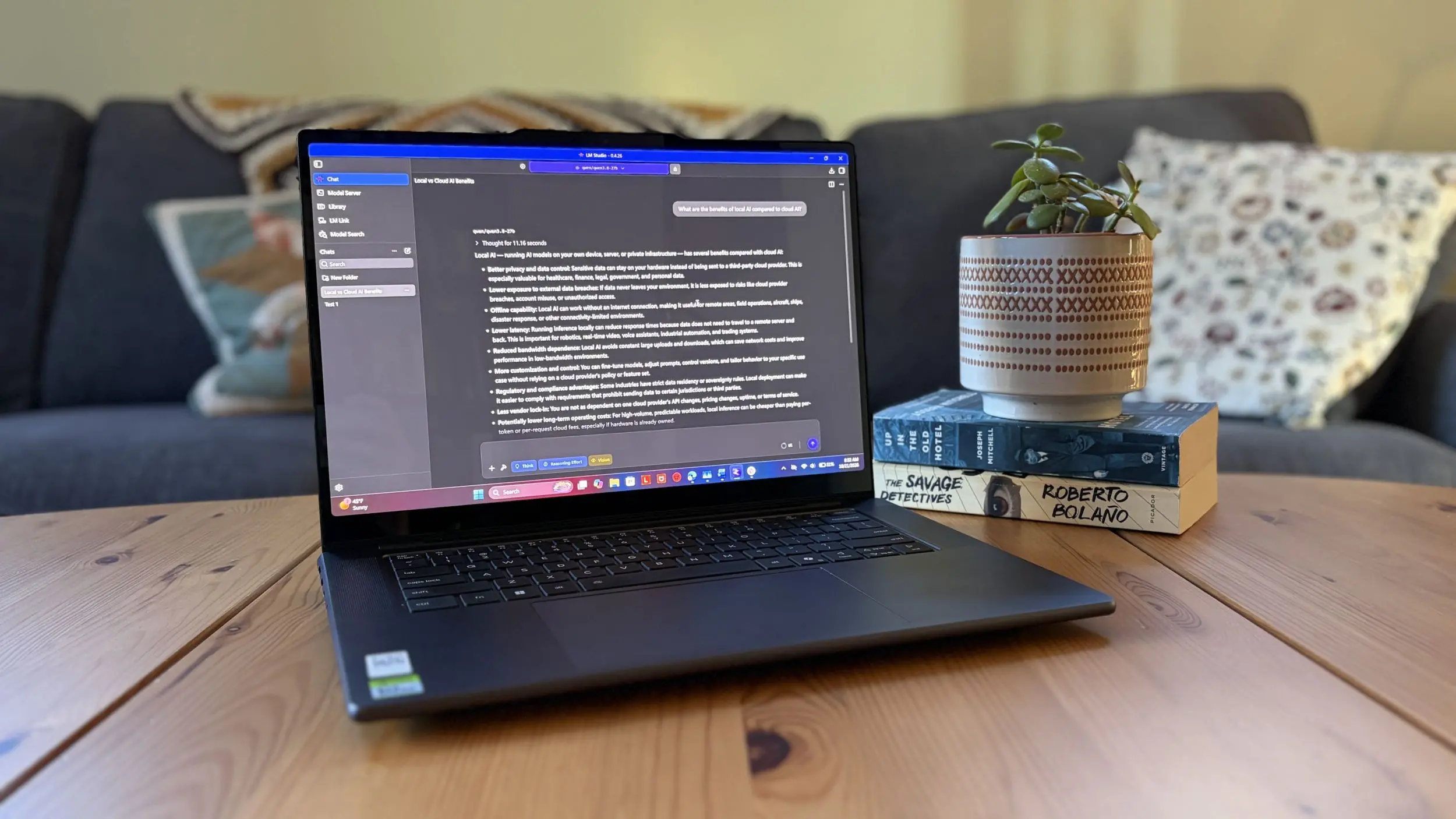
A year ago, the idea of running a capable large language model on an ordinary laptop sounded like a project for someone with a spare workstation, a fast GPU and a free weekend. That assumption no longer holds. Open-weight models, aggressive quantization and a new generation of one-click runtimes have collapsed the setup process into three steps that take roughly fifteen minutes from download to first answer, with no subscription, no API key and no prompt ever leaving the machine.
The appeal is straightforward. Cloud chatbots are convenient, but every message travels to a server, every conversation is governed by someone else's retention policy, and heavy users eventually meet a rate limit or a paywall. A local model runs on hardware you already own, keeps working when the Wi-Fi drops, and costs nothing per token once the weights are on disk.
Key facts at a glance
- Setup time: typically 10 to 20 minutes on macOS, Windows or Linux, including the model download.
- Cost: zero for software and zero per query. Open-weight models are free to download and run.
- Hardware floor: an 8GB machine can run a small 3B to 4B parameter model comfortably; 16GB handles 7B to 9B models well; 32GB or a discrete GPU opens up 14B to 32B models.
- Disk space: most quantized models occupy between 2GB and 20GB, so a free 30GB is a comfortable working margin.
- Connectivity: required once, to download the runtime and the model. Not required afterward, including on a plane.
- Privacy model: inference happens on the local CPU, GPU or unified memory. Nothing is transmitted unless a tool is explicitly configured to reach the internet.
- Interface options: a terminal, a bundled desktop chat window, a browser-based UI on localhost, or an OpenAI-compatible local endpoint that existing apps can point at.
- Reality check: a good local 8B model is roughly comparable to a mid-tier cloud model from about two years ago. It will not match the very largest hosted systems on hard reasoning tasks.
Why local AI stopped being a hobbyist project
Three technical shifts did most of the work. The first was the release of genuinely usable open-weight model families, trained by research labs and released under licenses that permit personal and often commercial use. The second was quantization, a compression technique that stores model weights at 4 bits instead of 16, shrinking a model to roughly a quarter of its original size while preserving most of its quality. A 7-billion-parameter model that once needed 14GB of memory now fits in about 4.5GB.
The third shift was packaging. The command line is optional now. Runtimes ship as installers with a chat window included, and the underlying inference engine handles the fiddly parts, such as detecting whether a GPU is present, splitting a model between video memory and system memory when it does not fit, and keeping the model resident in RAM between messages so replies stay fast.
Step 1: Install a local runtime
The runtime is the piece of software that loads a model's weights into memory and generates text. Choosing one is the only decision in this step, and the choice is mostly about whether you prefer a terminal or a window.
For most people, a command-line runtime with a built-in model library is the fastest route. It installs with a single command on macOS and Linux, or a standard installer on Windows, and then pulls models by name. Once running, it exposes a local server on port 11434 and offers an OpenAI-compatible API endpoint, which means an enormous range of existing tools can talk to it without modification.
If the terminal is unappealing, a desktop application is the better fit. Several graphical runtimes bundle a model browser, a download manager and a chat interface in one window. You search for a model, click download, and start typing. Others are designed for document work, letting you drop in PDFs and ask questions about them without any cloud round trip.
For tinkerers who want fine control over context length, GPU layer offloading and sampling parameters, a low-level C++ inference engine remains the reference implementation and the thing most friendly tools are built on top of. It compiles in a few minutes and runs on almost anything, including a Raspberry Pi.
What to check after installation
- The runtime should report whether it detected a GPU or is falling back to CPU. A GPU changes speed dramatically.
- The local server should be listening only on the loopback address unless you deliberately expose it, since an open local endpoint has no authentication by default.
- Set a custom models directory if your system drive is small. Model files are large and accumulate quickly.
Step 2: Pick a model that fits your machine
This is where most first attempts fail, and the failure is almost always a mismatch between model size and available memory. The rule of thumb is simple: a model needs roughly its file size in free memory, plus room for the context window, which grows with conversation length.
Sizing by hardware
- 8GB of RAM: stick to 3B to 4B parameter models at 4-bit quantization, which occupy around 2GB to 3GB. Expect fast, competent text for summarization, rewriting and simple question answering.
- 16GB of RAM: the sweet spot for most laptops. A 7B to 9B model at 4-bit quantization takes about 4.5GB to 6GB and leaves plenty of headroom for a browser open alongside it.
- 32GB of RAM or a modern unified-memory machine: 14B models become comfortable and 30B-class models become possible, though the largest will run slowly if they spill onto the CPU.
- Discrete GPU with 8GB or more of VRAM: offload all layers to the GPU and expect several times the throughput of CPU-only inference.
Two details matter more than parameter counts. The first is the quantization tag in the filename. Four-bit variants with the K-quant medium label are the standard compromise between size and quality; two-bit and three-bit variants shrink further but degrade noticeably on math and instruction following. The second is context length. A model advertising a 128K context window will not deliver it comfortably on a laptop, because the memory required for the key-value cache grows with conversation length. Most local setups are happiest between 4K and 16K tokens of context.
General-purpose instruct models are the right starting point for a first run. Specialized coding models do better on code completion and refactoring, and small models tuned for summarization often outperform larger general models on that narrow task. Downloading two models of different sizes is a reasonable hedge, since switching is a single command.
Step 3: Run it and put it to work
With a runtime installed and a model on disk, generating text is immediate. In a terminal, you name the model and start typing. In a desktop app, the chat window is already open. The first response takes a few seconds longer while the weights load; subsequent responses stream as fast as the hardware allows.
The step most people skip is integration, and it is where local AI becomes genuinely useful rather than a novelty.
Ways to use the model beyond a chat box
- Browser-based front end: a self-hosted web interface running on localhost adds conversation history, multiple model profiles, prompt libraries and document uploads, all without touching the internet.
- OpenAI-compatible API: point an existing app or script at the local endpoint and it will behave as though it were talking to a hosted service. Many editors, note-taking tools and chat clients accept a custom base URL.
- Editor integration: code assistants that support local backends can autocomplete, explain and refactor code with no code leaving the machine, which matters in workplaces with strict source-control rules.
- Document question answering: drop a set of PDFs, contracts or research papers into a local retrieval pipeline and ask questions against them. The embedding step can also run locally, keeping the whole chain offline.
- Automation and scripting: batch summarization of a folder of text files, classification of support tickets, or drafting routine correspondence all run unattended against the local API.
The offline test is worth running once. Disconnect from the network entirely, then ask the model a question. If it answers, the setup is genuinely self-contained and can travel with you on a plane, into a basement, or onto a network you do not trust.
What to expect from the hardware
Speed is the most common surprise, in both directions. On a recent Apple Silicon laptop, an 8B model at four-bit quantization typically generates text faster than a person can read it, in the range of 25 to 40 tokens per second. On a mid-range Windows laptop with no discrete GPU, the same model runs at something closer to 5 to 12 tokens per second, which is readable but noticeably slower than a hosted service.
Memory, not raw compute, is the binding constraint. When a model does not fit in video memory, the runtime spills layers to system RAM and throughput drops sharply. A model that fits entirely is often many times faster than a slightly larger one that does not.
There are other practical limits. Long conversations slow down as the context fills. Laptop fans spin up under sustained generation, and battery life suffers. Model files consume disk space and there is no automatic update mechanism, so keeping a model current means checking for new releases manually.
The privacy payoff and the honest caveats
The privacy argument is real but easy to overstate. Local inference means prompts, documents and outputs stay on the device, which is a meaningful difference for legal, medical, financial and confidential business material. It also means no account, no telemetry tied to a user identity and no vendor changing terms of service mid-project.
The caveats are equally real. A downloaded model file is executable in effect, and running one from an unverified source is a genuine security decision, so sticking to official model repositories and checking published file hashes is basic hygiene. Licenses vary: some open-weight families are permissive, others carry acceptable-use restrictions or thresholds that trigger additional terms for commercial deployment. And local models do not search the web, check facts or cite sources unless a separate tool is wired in to do so, which makes verification the user's job.
Quality is the other trade-off. A well-chosen 8B model handles drafting, summarizing, rewriting, extraction, translation and routine coding assistance convincingly. It is noticeably weaker on multi-step arithmetic, long-horizon planning and questions that require deep domain expertise. The gap is closing with each generation of small models, and quantization methods have improved enough that a four-bit model today often outperforms a full-precision model of the same size from two years ago, at a quarter of the memory cost. That trajectory, more than any single release, is why the fifteen-minute local setup has stopped being a curiosity and started being a reasonable default for anyone who would rather not send their drafts to someone else's server.
Source: Windows Central News